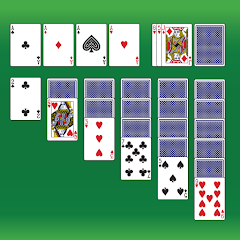
About This App
- Name Solitaire - Classic Card Games
- Category Entertainment
- Price 0
- Safety 100% Safe
- Developer SolidDevsKit
- Version 4.6.0
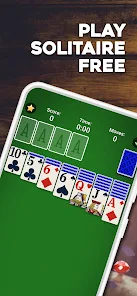
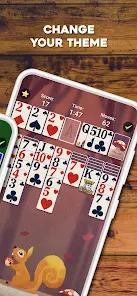
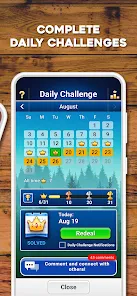
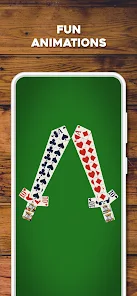
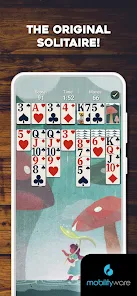
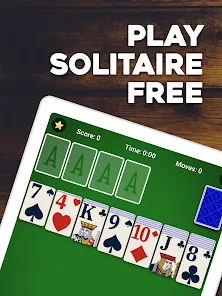
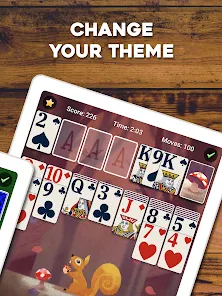
Description
Solitaire is the classic card game you can play alone, and this app lets you play it free on your phone or tablet. It is Klondike, the version most people mean when they say "solitaire" or "classic solitaire". Below you'll find how to play, how to download the app for free, how Klondike differs from Spider Solitaire, FreeCell, Pyramid and other card games, and answers to common questions about playing solitaire online or on your phone.
What Is This Solitaire App?
The app is a classic solitaire game with cards: a standard 52-card deck, a simple layout and one goal. Open it and you can play solitaire right away, with no sign-up. It is a basic solitaire game by design, so it suits anyone who wants simple solitaire without extra rules to learn. The version in the app is Klondike. It does not include Spider, FreeCell, Pyramid or the other variants, which are different games.
If you have played the solitaire that came with an old computer, this is the same idea: a single player, a deck of cards and a table to clear.
Is Solitaire Free?
Yes. You can download the solitaire game for free and play solitaire for free, with no payment needed to start. The free version shows ads and may offer optional in-app purchases. If you search for free solitaire, solitaire free or free solitaire games, this is the free solitaire game you can install. Check the store listing for what the current version includes.
How to Download Solitaire
Solitaire for Android
- Open the Google Play Store on your phone or tablet.
- Search for "Solitaire" and select Solitaire by MobilityWare.
- Tap Install and wait for the download to finish.
- Open the app and tap to start a new game.
The safest way to get the app on Android is directly from Google Play, which always gives you the official, latest version.
Solitaire for iPhone and iPad
Open the App Store, search for "Solitaire" and tap Get. Then open the app and deal the first game.
Play Solitaire Online on a Computer
Many people search for free solitaire online, online solitaire or solitaire games without download, because they want to play in a browser. This page is about the phone app, which you install once and play any time. On a computer you can also find browser-based versions, which are separate from this app.
How to Play Classic Solitaire (Klondike)
The goal is to move all 52 cards onto four foundation piles, one for each suit, building each pile from Ace up to King.
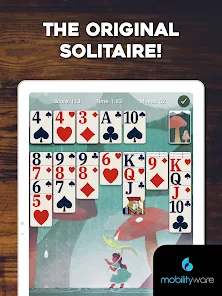
- The layout. Seven columns are dealt. The first has one card, the second has two, and so on up to seven. Only the top card of each column is face up.
- The stock and waste. The rest of the cards form the stock. Tap it to turn cards over onto the waste pile, one or three at a time, depending on the setting.
- Build down the columns. On the table you place a card on one that is one rank higher and the opposite color, for example a red 6 on a black 7.
- Move sequences. You can move a run of face-up cards together to another column.
- Fill empty columns. An empty column can take a King, or a run that starts with a King.
- Build the foundations. Start each foundation with an Ace and add cards of the same suit in order.
- Win. You win when all four foundations are complete.
Tips for Winning
- Turn over face-down cards early, because they hide the cards you need.
- Don't rush to empty a column unless you have a King ready for it.
- Think before moving cards to the foundations, since you may need them on the table.
- Use undo and hints if the app offers them.
Klondike, Spider, FreeCell and Pyramid: What's the Difference?
People often search for spider solitaire, freecell, free cell solitaire, pyramid solitaire, TriPeaks and Forty Thieves when they look for card games. These are different solitaire games with their own rules, and this app does not contain them. Here is how they differ from the classic game.
- Klondike solitaire (the classic): one deck, seven columns, build down in alternating colors and move cards to four foundations. This is the game in this app.
- Spider solitaire: played with two decks and one, two or four suits (often called 4 suits at the hardest level). You build down in sequence and remove complete runs of King to Ace.
- FreeCell (also written free cell or freecell solitaire): all the cards are dealt face up, and four free cells hold cards temporarily. Most deals can be won, so it relies on planning.
- Pyramid solitaire: cards are laid out in a pyramid, and you remove pairs that add up to 13.
- TriPeaks (tri peaks solitaire): three peaks of cards, and you clear them by playing cards one higher or lower than the card showing.
- Forty Thieves: two decks and a more difficult layout.
If you want one of those, search for it by name in Google Play or the App Store. If you want the classic game that most people think of as solitaire, this app is for you.
Card Games Beyond Solitaire
Solitaire is one of the best-known free card games, alongside online card games for several players. Those multiplayer card games, such as hearts or poker, are a different category from single-player solitaire. This app is a single-player solitaire game that you can play whenever you like.
Common Spellings
Many people type the name differently, for example solitare, solataire, solitiare, soltaire or solitire. They all mean the same game. If you searched for any of those, you found the right place: this is solitaire.
Features
- Classic Klondike solitaire with a standard 52-card deck
- Simple, basic solitaire rules
- Play free, with no sign-up needed to start
- Draw one or three cards (check the app settings for the options in your version)
- Works on phones and tablets
Pros and Cons
Pros
- Free to download and play
- Classic, easy-to-learn gameplay
- Quick games that fit into a short break
Cons
- Contains ads
- Includes only Klondike, not Spider, FreeCell or Pyramid
- Some extras may need in-app purchases
Frequently Asked Questions
Is solitaire free?
Yes. The app is free to download and play, with ads and optional in-app purchases.
Which version of solitaire is this?
Klondike, the classic version. Spider, FreeCell, Pyramid and other variants are separate games and are not in this app.
Can I play solitaire online without a download?
You can find browser versions of solitaire on the web, but this page is for the phone app, which you download from Google Play or the App Store.
Is there a solitaire with no ads?
The free version shows ads. Check the store listing for options that remove them.
How do I win at solitaire?
Move all 52 cards to the four foundations in order from Ace to King. Turn over hidden cards early and plan your moves.
What is the difference between Spider Solitaire and Klondike?
Spider uses two decks and builds down within suits to remove runs. Klondike uses one deck and builds down in alternating colors, with four foundations.
Download Solitaire
Solitaire is published by MobilityWare. Use the Google Play or App Store buttons on this page to download the classic solitaire game for free, then open it and play. Choose your device to get started.
Frequently asked questions
If you're an Android user and don't download the app from the official Google Play Store, you may find the installation process more complicated than usual.
We fully understand your concern about safety. We agree that one person wouldn't be too careful in the cyber world. Meanwhile, we are happy to tell you that one of our priorities is to provide our users with safe app files that they can use without any worries.
We guarantee that all the app files we provide originate from official and reliable sources. We promise that they do not contain any malware that will harm your hardware or the safety of your privacy.
We are happy to inform you that the answer is an absolute YES! All the apps on our website are 100% free to download. Besides, you do not have to create an account. Just click on the download button, and it's done.
Recently we received a lot of emails from our users saying they couldn't log in for different reasons, such as "forgot the user name or password" or "had a new phone." We are willing to help you out. Please read the notes below to see what we can do.
To answer this question, please first let us know which account you're referring to.
If you're referring to your account of some app, like your Facebook account or your Youtube account, unfortunately we would not be able to help in this case. We would suggest you turn to the customer service of this application.
This question is essentially quite similar to the prior one. It's a pity that we are unable to help you cancel the subscription to a third-party application directly, while we would suggest you contact its customer service for further information.
Sorry that we are unable to help you get a refund from a third-party application directly. If you wish to get a refund from a third-party app, we would suggest you contact its customer service. We would be happy to provide you the way to contact them.
If you want a refund from us, we should apologize for your confusion. Our service is 100% free, and any payment information is not required.
If you run into any site that asks you to provide your payment information, be careful. Remember never to reveal your payment information to any unauthorized third parties, no matter how tempting their offer may seem.
Sorry that we cannot answer this question directly, as this section only aims to answer some general questions. You may find how to use a certain app by checking our review page.